
BG3 Patch 7 Bois Night
All
Due filesto arethe savedextensive herechanges forto downloadthe ifmodding needed:system https://filebrowser.nathanaelmoyer.com/share/zNRu-uIAthe
Backfollowing upis downloadrequired link:to OneDrivemake Boisyour nightgame link
- Back up saves folder if you have saves you want to ensure not to lose. Steam should back these up for you but just in case you want to make sure back up the following folder:
-
C:\Users\[YOUR USER NAME]\AppData\Local\Larian Studios\Baldur's Gate 3\PlayerProfiles\Public\Savegames\Story
-
- Clear all data from pre patch 7 update.
- Delete Appdata folder
-
C:\Users\[YOUR USER NAME]\AppData\Local\Larian Studios\Baldur's Gate 3
-
- Delete game folder
- Generally located here:
C:\Program Files (x86)\Steam\steamapps\common\Baldurs Gate 3
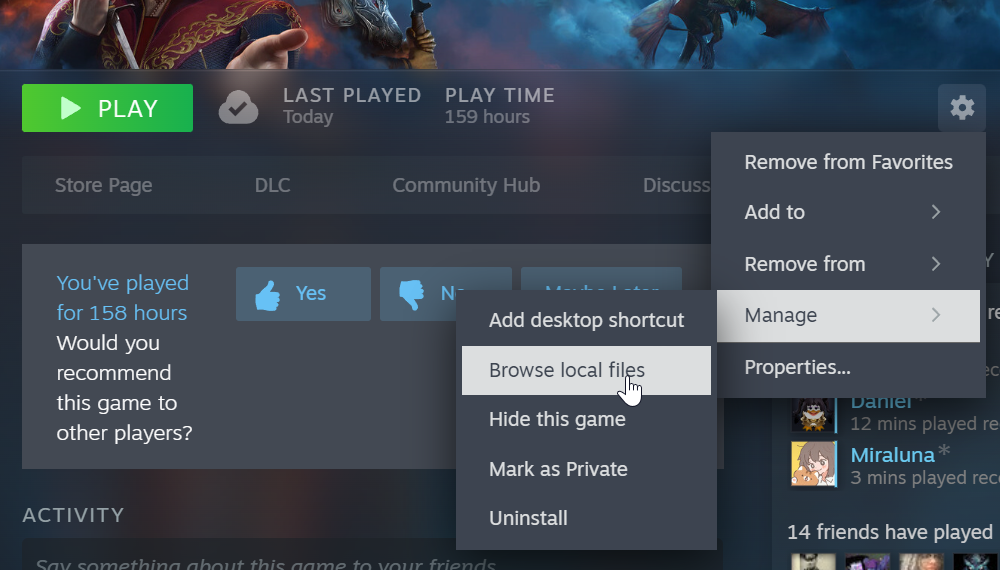
It may be located in another folder. If you installed it via Steam you can check this by navigating to the game in Steam, click the cog at the right side of the screen, click Manage, then click Browse local files.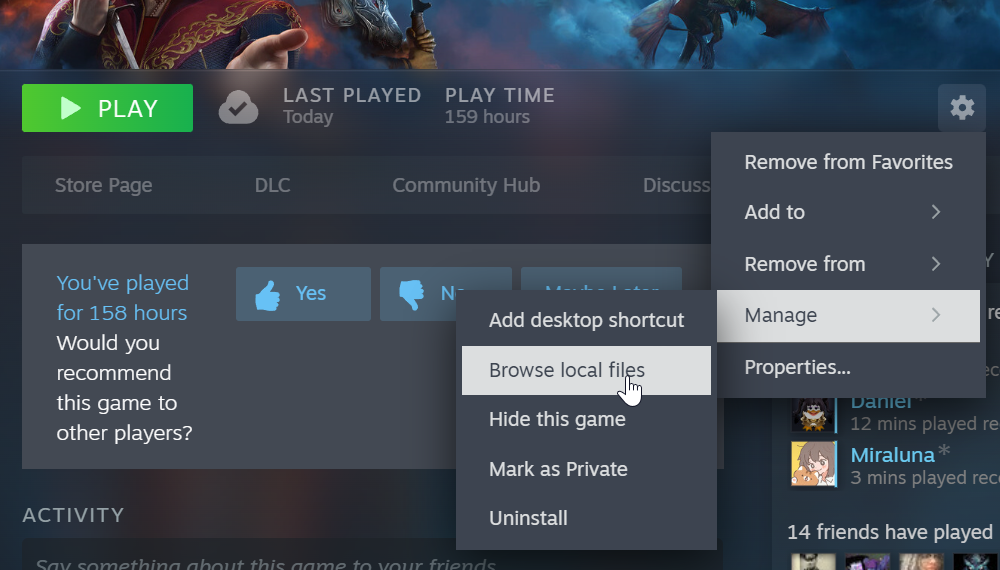
NOTE: This step is important as simply uninstalling the game from Steam will not clear out all the mod files. Also, some of the game files have been modified by the mods so having a fresh start is the simplest way to resolve all the issues with the mods that haven't been updated for patch 7.
- Generally located here:
- Verify game files in Steam or reinstall the
gamegame. - Install new mods with in game mod manager.
- Open the game then select Mod Manager.
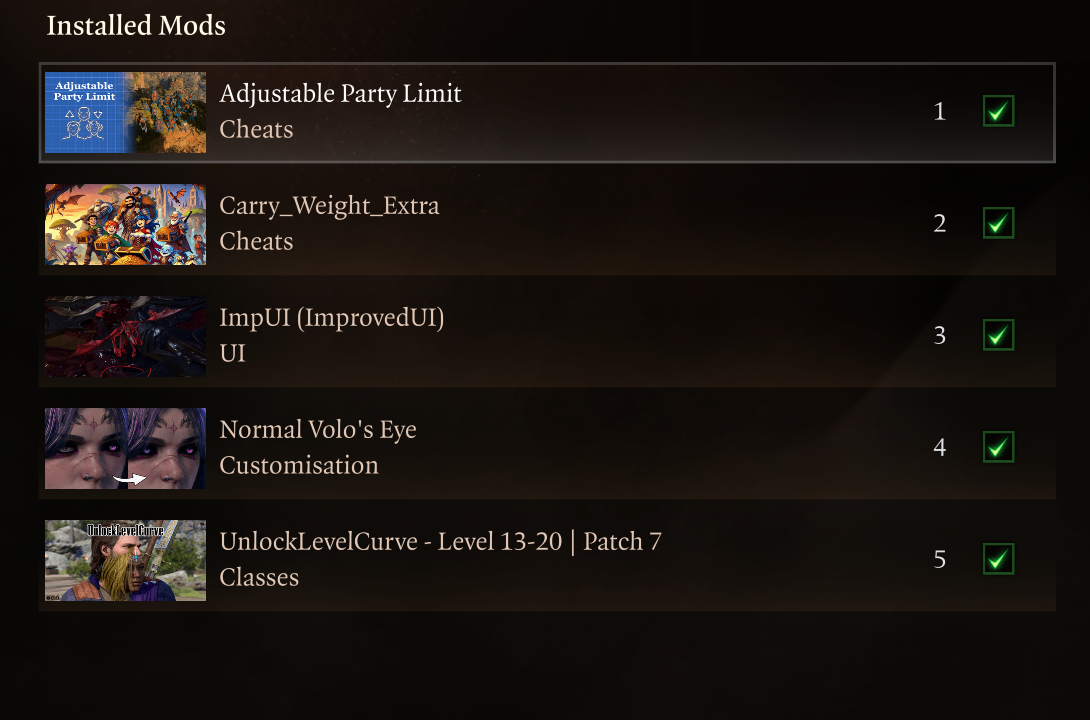
- Search for and install the following mods. All you need to do is click download on each mod as you find it to install.
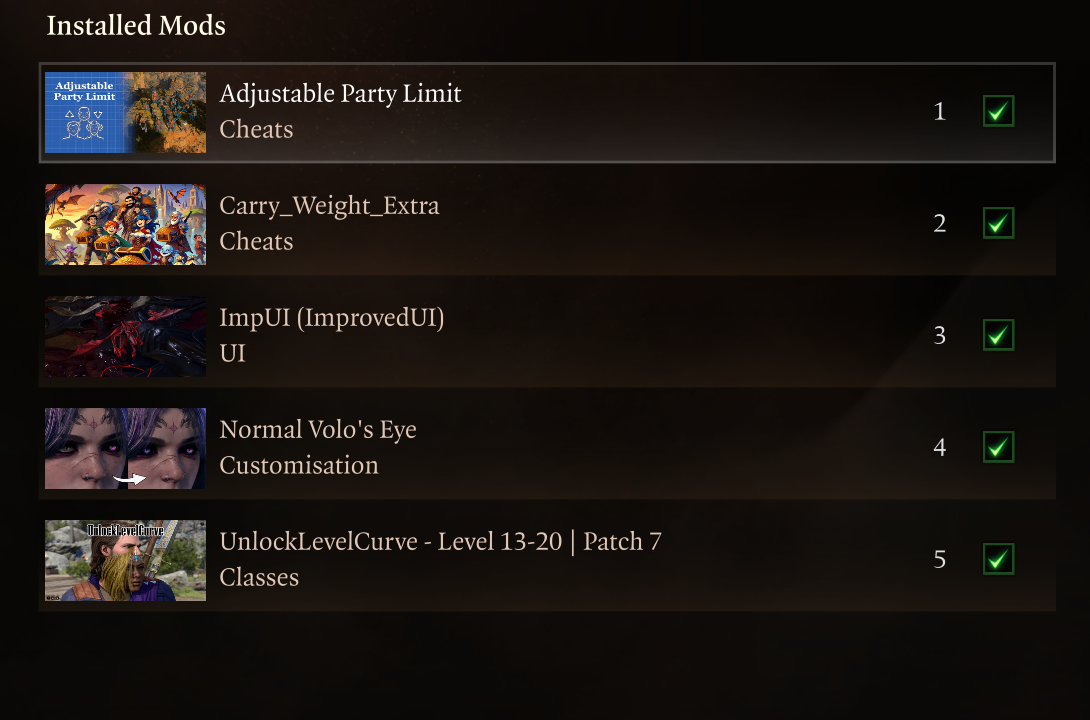
- Delete Appdata folder
All files are saved here for download if needed: https://filebrowser.nathanaelmoyer.com/share/zNRu-uIA
Back up download link: OneDrive Bois night link